
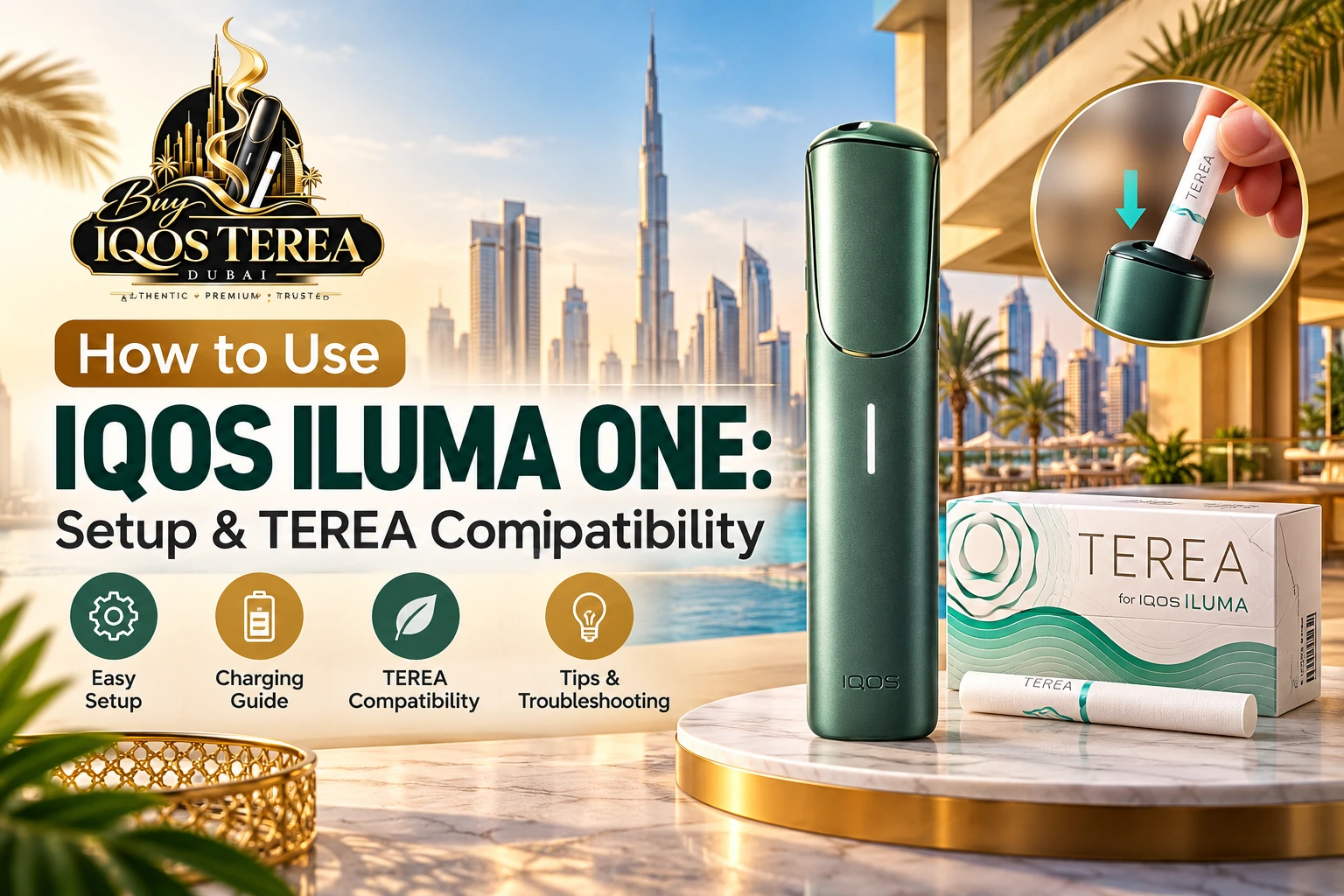
The IQOS ILUMA One is a compact, all-in-one heated tobacco device designed for adult tobacco users who want to understand blade-free heating technology. Unlike older IQOS models, it uses an induction heating system and specially designed TEREA tobacco sticks. Its portable construction, single-button operation, and lack of routine heating-chamber cleaning make it relatively straightforward to operate.
However, knowing how to use IQOS ILUMA ONE correctly is essential. First-time users in Dubai and across the UAE often have questions about charging, inserting TEREA sticks, understanding indicator lights, and identifying compatible tobacco products. Using the wrong sticks or misunderstanding the device’s signals can interrupt a session or potentially damage the equipment.
This guide explains the original IQOS ILUMA ONE setup process, TEREA compatibility, charging instructions, battery performance, maintenance, and practical troubleshooting methods. It also distinguishes the original model from newer IQOS ILUMA i devices so you can follow the correct instructions.
What Is IQOS ILUMA ONE and How Does It Work?
IQOS ILUMA ONE is a rechargeable tobacco-heating device developed by Philip Morris International (PMI). It belongs to the IQOS ILUMA family, which uses an induction-based heating system instead of the heating blade found in earlier IQOS generations.
The device is intended for use with compatible TEREA SMARTCORE tobacco sticks. It heats tobacco without directly burning it, producing a nicotine-containing aerosol rather than conventional cigarette smoke.
Nevertheless, heated tobacco is not risk-free. TEREA sticks contain nicotine, which is addictive, and the device is intended only for adults who would otherwise smoke or use nicotine products.
Understanding the IQOS ILUMA ONE Device
The original ILUMA ONE combines the heating unit and rechargeable battery in a single compact body. Unlike the standard ILUMA and ILUMA PRIME models, it does not require a separate holder and pocket charger.
Its main external components include a sliding cap, power button, LED status indicator, charging port, and enclosed heating chamber.
This integrated arrangement reduces the number of separate components users need to handle.
How SMARTCORE Induction Heating Technology Works
The device uses SMARTCORE Induction System technology to heat compatible tobacco sticks.
Each TEREA stick contains a specially designed internal heating element. When inserted into the device, an electromagnetic field generated by the induction system heats that element, transferring heat to the surrounding tobacco.
The process involves three main stages:
- A compatible TEREA stick is placed inside the heating chamber.
- The device activates its induction heating system.
- The internal element heats the tobacco to generate a nicotine-containing aerosol.
Unlike blade-based IQOS devices, the heating mechanism does not rely on inserting a blade directly into the tobacco.
This distinction explains why TEREA compatibility is important: the heating system requires sticks specifically designed for induction-based operation.
Main Features of the IQOS ILUMA ONE
Compact All-in-One Design
The device combines charging and heating functions in one unit. Its portable construction is convenient for carrying, although users should protect it from extreme heat, moisture, and physical impact.
Blade-Free Heating System
Because there is no exposed heating blade, users do not need to perform the same routine blade-cleaning procedure required by older IQOS models.
Battery Capacity and Consecutive Uses
A fully charged original IQOS ILUMA ONE is designed to provide up to 20 uses, subject to battery condition, operating temperature, and other usage factors.
This makes battery monitoring particularly important for users who rely on the device throughout the day.
How to Set Up IQOS ILUMA ONE for the First Time
IFor first-time users in Dubai, understanding the correct setup procedure helps prevent common operating mistakes. You can also follow the official IQOS ILUMA ONE setup guide for manufacturer instructions covering charging, TEREA stick insertion, button operation, and indicator lights.
What Comes Inside the IQOS ILUMA ONE Package?
Depending on the regional package and retail configuration, the box may contain:
- IQOS ILUMA ONE device
- USB charging cable
- Power adaptor, where supplied
- User documentation
- Safety instructions
Check the exact packaging contents before use. Accessories may differ between markets, and replacement charging equipment should meet the manufacturer’s specifications.
Step-by-Step IQOS ILUMA ONE Initial Setup
Step 1 – Check the Device and Accessories
Remove the device from its packaging and inspect its outer surface, sliding cap, power button, and charging port.
Make sure the charging connector is clean and that the device has no visible damage.
Do not attempt to use equipment with a damaged battery casing or charging port.
Step 2 – Charge the Device Before First Use
Connect the supplied or manufacturer-approved charging cable to the device.
Attach the cable to a compatible power adaptor and plug it into a suitable electrical outlet.
Allow the battery to charge fully before its first use, following the instructions supplied with your model.
Official UAE guidance for the original device states that charging can take up to approximately 90 minutes when fully discharged. Another support instruction specifies at least 75 minutes for a full charge, so the actual time depends on charging conditions.
Step 3 – Turn On the IQOS ILUMA ONE
Press and hold the device’s power button for approximately four seconds.
Release it when the status lights activate.
The same button procedure can be used to turn the device off.
Step 4 – Check the Battery Indicator Lights
Briefly press the button to display the battery level.
The light strip indicates the approximate available charge. A low battery may appear as a flashing yellow indicator.
Once the device is charged and switched on, it is ready for use with a compatible TEREA stick.
Common First-Time Setup Mistakes to Avoid
New users sometimes experience difficulties because they skip important setup steps.
For example, attempting to start a session when the battery is almost empty can prevent successful heating.
Other mistakes include inserting the wrong tobacco stick, failing to turn on the device, using damaged charging accessories, and confusing original ILUMA ONE instructions with those for the newer ILUMA i ONE.
The most effective approach is to confirm the exact model before following an online tutorial.
How to Use IQOS ILUMA ONE with TEREA Sticks
The original IQOS ILUMA ONE uses a manual heating-start procedure. Inserting a stick does not automatically begin preheating in the same way as some other IQOS ILUMA models.
Step-by-Step Guide to Using IQOS ILUMA ONE
Step 1 – Slide Open the Device Cap
Gently slide the upper cap open to expose the heating chamber.
Check that the opening is unobstructed.
Step 2 – Insert a Compatible TEREA Stick Correctly
Take a new TEREA tobacco stick and insert it with the tobacco end facing into the device and the filter facing outward.
Push gently until the stick reaches the printed line on the filter.
Do not force the stick or twist it aggressively during insertion.
Step 3 – Press the Button to Start Heating
Press the button for at least one second until the device vibrates and its status lights begin pulsing.
This signals that preheating has started.
Keep the stick in place throughout this stage.
Step 4 – Wait for the Vibration and Ready Light
The device vibrates again when the heating process is complete.
The status lights become steady, indicating that the session can begin.
Do not assume that the initial vibration means preheating has finished.
Step 5 – Understand the End-of-Session Signal
Toward the end of the session, the device vibrates and one white light begins pulsing.
On the original model, this generally indicates approximately 30 seconds or two puffs remaining, whichever comes first.
The device then completes the heating session automatically.
Step 6 – Remove and Dispose of the Used TEREA Stick
After the session ends, gently remove the used stick.
Dispose of it according to local waste-handling instructions and close the sliding cap.
Never attempt to reuse a previously heated TEREA stick. IQOS United Arab Emirates+1
How Long Does an IQOS ILUMA ONE Session Last?
A normal session lasts up to approximately six minutes or 14 puffs, whichever limit is reached first.
The actual duration may be shorter depending on the user’s puffing pattern and whether the session is interrupted.
Removing the TEREA stick during operation also causes the original device to stop its heating session.
How Many Uses Can You Get from a Full Charge?
The original device is designed for up to 20 consecutive uses on a full battery.
However, that number is a rated maximum rather than a guaranteed result under every condition.
Battery ageing, environmental temperature, and charging conditions can influence performance.
If the device consistently provides substantially fewer sessions than expected, first complete a full charge and check for temperature-related interruptions.
IQOS ILUMA ONE TEREA Compatibility Explained
TEREA compatibility is one of the most important subjects for owners of the device.
Although different generations of IQOS equipment may look similar, their tobacco sticks are not necessarily interchangeable.
Which Tobacco Sticks Are Compatible with IQOS ILUMA ONE?
The original IQOS ILUMA ONE is designed for TEREA SMARTCORE tobacco sticks.
These sticks contain the internal heating element required for the induction system.
The compatibility of a particular product should be confirmed through its packaging and the manufacturer’s regional guidance.
| Tobacco product | Original ILUMA ONE compatibility |
|---|---|
| TEREA SMARTCORE sticks | Compatible |
| HEETS tobacco sticks | Not compatible |
| BLENDS for BONDS | Not compatible |
| Ordinary cigarettes | Not compatible |
| Used or damaged TEREA sticks | Do not use |
Why TEREA Sticks Work with IQOS ILUMA Technology
The internal structure of a TEREA stick differs from the structure of tobacco consumables designed for older blade-based systems.
Instead of relying on a device blade that penetrates the tobacco, TEREA incorporates a heating element within the stick.
This element interacts with the induction system.
Therefore, stick compatibility depends on the heating technology, not simply whether the product looks similar or fits inside the opening.
Can You Use HEETS with IQOS ILUMA ONE?
No. HEETS are intended for compatible older-generation IQOS devices, not the ILUMA induction system.
Trying to use them in an ILUMA ONE can result in a failed heating session and potentially cause equipment problems.
Do not modify a HEETS stick to make it fit.
Can You Use TEREA Sticks in Older IQOS Devices?
No. TEREA sticks are designed for compatible IQOS ILUMA devices and must not be inserted into older blade-based IQOS models.
The manufacturer’s UAE guidance specifically warns that incorrect use can damage equipment. IQOS United Arab Emirates+1
How to Identify the Correct TEREA Sticks
Checking Packaging and Compatibility Labels
Before opening a pack, look for the TEREA name and an indication that the product is intended for the IQOS ILUMA system.
Inspect the packaging for visible tampering, missing information, or inconsistent labelling.
If the product’s compatibility is unclear, seek confirmation rather than relying on its appearance.
Understanding Regional TEREA Variants
Adult consumers in Dubai may encounter TEREA products intended for different international markets.
Packaging design, product names, and flavour availability can differ across regions.
However, a regional label does not automatically establish authenticity, regulatory compliance, or suitability for UAE distribution.
Check compatibility and product legitimacy separately.
How to Charge IQOS ILUMA ONE Correctly
Correct charging practices support dependable operation and may help reduce avoidable battery problems.
IQOS ILUMA ONE Charging Instructions
Start by ensuring the charging port and cable connector are completely dry.
Connect a manufacturer-approved or otherwise manufacturer-compatible charging system.
Insert the cable gently without forcing the connector.
During charging, the device displays battery status through its indicator lights.
When fully charged, the light strip shows solid white lights before the lights switch off.
How Long Does IQOS ILUMA ONE Take to Charge?
The official UAE support instructions describe charging times of at least 75 minutes and up to around 90 minutes from a fully discharged state.
As a practical guide, allow approximately 75–90 minutes, while following the documentation included with your specific device.
Charging may be slower if the battery is deeply discharged, the adaptor is unsuitable, or the device temperature is outside the normal range.
Understanding Battery Level and Charging Lights
The original model uses a strip of four status lights to indicate approximate battery charge.
More illuminated segments generally indicate greater remaining battery capacity.
A yellow flashing light near the bottom of the strip indicates low charge.
A fully charged battery is indicated by the complete light strip illuminating white.
Best Practices for Maintaining Battery Performance
Using a Compatible USB-C Charger
Use manufacturer-approved charging accessories where available, and verify any replacement adaptor meets the stated electrical requirements.
Avoid damaged cables and charging equipment with uncertain specifications.
Avoiding Extreme Temperatures During Charging
Do not charge the device in direct sunlight, on a hot dashboard, or in a location where excessive heat can build up.
This is especially relevant in Dubai, where parked vehicles and exposed outdoor surfaces can become extremely hot.
Allow an overheated device to return to a suitable temperature before attempting to charge it again.
IQOS ILUMA ONE Indicator Lights and Vibrations Explained
The device communicates operating status primarily through its LED light strip and vibration alerts.
Understanding these signals can help users distinguish ordinary operation from potential problems.
What Do White Indicator Lights Mean?
White lights generally indicate device status, charging progress, or heating activity.
For instance, pulsing lights during preheating indicate that the device is preparing for a session.
Steady white lights following the ready vibration indicate that preheating is complete.
White lights may also appear when checking the available battery charge.
What Does a Flashing Yellow Light Mean?
A flashing yellow light at the bottom of the status strip usually indicates a low battery.
Charge the device using suitable equipment before attempting another session.
If the indicator persists after charging, inspect the cable and charging connection.
What Does a Blinking Red Light Indicate?
A flashing red light can indicate a device error requiring attention.
Potential causes include an operating fault or interference affecting the device.
Official troubleshooting guidance recommends checking for nearby magnets and performing a reset when appropriate.
Persistent red-light errors should be assessed through official support rather than repeated attempts to operate the device.
Understanding Device Vibration Alerts
Heating Started Notification
The first vibration after pressing the button indicates that preheating has begun.
Ready-to-Use Notification
Another vibration, accompanied by steady status lights, signals that the device is ready.
Session Ending Notification
A later vibration and pulsing white light indicate that the session is nearing completion.
These alerts remove the need to estimate the session’s remaining time manually.
Common IQOS ILUMA ONE Problems and How to Fix Them
Most basic troubleshooting should begin with three checks: battery charge, correct stick compatibility, and operating temperature.
If those conditions are satisfactory, inspect the indicator lights for a more specific error.
IQOS ILUMA ONE Not Heating TEREA Sticks
Check Stick Compatibility and Insertion
Confirm that the stick is genuine, undamaged, and compatible with the original ILUMA system.
Ensure that it is inserted in the correct direction and reaches the filter line.
Remember that the original model requires a button press to initiate heating.
Check Battery Charge and Device Temperature
If the device does not respond, recharge it and confirm that it is powered on.
The original IQOS ILUMA ONE is specified to operate in ambient temperatures of approximately 0°C to 40°C.
When the device detects conditions outside this range, the heating session may stop.
IQOS ILUMA ONE Not Charging
A charging problem may result from an unsuitable cable, contaminated charging port, insufficient power supply, or device fault.
Try these basic checks:
- Disconnect the charging equipment.
- Inspect the port and connector for visible dirt or moisture.
- Allow wet components to dry completely.
- Reconnect a known-compatible cable and adaptor.
- Check whether charging indicators activate.
Never insert metal tools or liquids into the charging port.
IQOS ILUMA ONE Not Turning On
First, connect the device to a suitable power source.
A deeply discharged battery may need some charging time before the indicators respond.
Next, press and hold the power button for approximately four seconds.
If it still fails to respond, follow the official troubleshooting instructions or seek technical support.
IQOS ILUMA ONE Flashing Red or White
Different light patterns indicate different conditions.
| Indicator or symptom | Possible meaning | Recommended action |
|---|---|---|
| Bottom light flashes yellow | Battery low | Recharge the device |
| White lights pulse during heating | Preheating in progress | Wait for the ready signal |
| One white light pulses near session end | Session nearly finished | Allow the session to end |
| All lights flash white twice, then switch off | Temperature outside operating range | Move to a suitable environment |
| Red light flashes | Device error | Check for magnetic interference and reset |
| No lights appear | Device off, discharged, or faulty | Charge and check power |
How to Reset IQOS ILUMA ONE
A reset may help resolve some temporary operating errors.
When a Device Reset May Help
Consider resetting the device if the indicator lights show an unexplained error or the unit does not respond normally after charging.
Press and hold the power button continuously for approximately ten seconds.
Do not release it after the first four seconds, even if the device initially turns on.
The reset is confirmed by the corresponding light sequence and vibration.
When to Contact Official IQOS Support
If the device continues displaying error lights or refuses to charge, avoid disassembling it.
Contact official IQOS support in the UAE for assistance with supported devices, troubleshooting, and applicable warranty procedures. IQOS United Arab Emirates
How to Maintain and Store IQOS ILUMA ONE
Although the device does not require routine blade cleaning, proper exterior care and storage remain important.
Does IQOS ILUMA ONE Need Cleaning?
The blade-free heating design eliminates the usual heating-blade cleaning process associated with older IQOS models.
However, the exterior, sliding cap, and charging connection should be kept free of contamination.
Do not insert cleaning brushes, liquids, or sharp objects into the heating chamber unless specifically instructed by the manufacturer.
How to Keep the Charging Port and Device Exterior Clean
Use a soft, dry cloth to wipe the outer surface.
Check that the USB-C charging port is free from visible dust and moisture.
Avoid soaking the device or spraying cleaning solutions directly onto it.
If the charging connection appears damaged, seek professional assistance.
Proper Storage for IQOS ILUMA ONE and TEREA Sticks
Store the device in a cool, dry location away from direct sunlight.
Avoid leaving it inside parked vehicles, especially during UAE summer months.
Keep TEREA sticks in their original packaging and protect them from moisture, crushing, and excessive heat.
Follow storage recommendations printed on the packaging.
Common Handling Mistakes That May Damage the Device
Avoiding Moisture and Excessive Heat
The device contains electronic components and a rechargeable battery.
Exposure to water or extreme temperatures can interfere with its operation.
Never Reusing or Disassembling TEREA Sticks
TEREA sticks are single-use products.
They also contain an internal metal heating element. Do not cut open, dismantle, or attempt to modify them.
Keep unused and discarded sticks away from children and pets because swallowing the internal metal component can cause serious injury.
IQOS ILUMA ONE vs Other IQOS ILUMA Devices
Several devices belong to the IQOS ILUMA range, and their similar names can cause confusion.
The most important differences concern design, charging arrangement, and operating features.
Adult users comparing device colours may also want to understand the differences between IQOS ILUMA ONE Pebble Beige vs Moss Green. Both colour variants share the same core device functionality, while their exterior finishes offer different visual styles. This comparison helps readers distinguish aesthetic preferences from actual technical differences.
IQOS ILUMA ONE vs IQOS ILUMA
The original ILUMA ONE is a single-piece device with an integrated battery and heating chamber.
The standard IQOS ILUMA uses a separate holder and pocket charger.
Although both support compatible TEREA sticks, the way users charge and start sessions differs.
IQOS ILUMA ONE vs IQOS ILUMA PRIME
IQOS ILUMA PRIME follows the separate holder and pocket charger arrangement.
Its primary differences from the standard model concern exterior design and selected construction details.
The ILUMA ONE is structurally simpler because it does not require users to carry a separate holder.
IQOS ILUMA ONE vs IQOS ILUMA i ONE
The newer ILUMA i ONE belongs to a later device generation and incorporates updated operating features.
For example, official documentation for the i ONE describes automatic preheating upon insertion and a FlexPuff feature that may extend the number of puffs within the session time limit, depending on usage patterns.
Those features should not be assumed to exist on the original ILUMA ONE.
Key Differences in Design, Charging, and Features
| Feature | ILUMA ONE | ILUMA | ILUMA PRIME | ILUMA i ONE |
|---|---|---|---|---|
| Design | All-in-one | Holder + charger | Holder + charger | All-in-one |
| Heating technology | Induction | Induction | Induction | Induction |
| Compatible sticks | TEREA | TEREA | TEREA | TEREA |
| Separate pocket charger | No | Yes | Yes | No |
| Manual start available | Yes | Yes | Yes | Yes |
| FlexPuff | No | No | No | Yes |
Which Device Design Fits Different Usage Preferences?
The main practical distinction is whether the user prefers an integrated device or a separate holder-and-charger system.
An all-in-one design reduces the number of components to handle.
A two-part design requires users to recharge the holder through the pocket charger between groups of sessions.
Neither arrangement eliminates nicotine exposure or the health risks associated with tobacco consumption.
Important IQOS ILUMA ONE Usage and Safety Guidelines
Technical compatibility is only one aspect of responsible device handling. Users should also understand the product’s health and physical safety limitations.
Who Is the Device Intended For?
IQOS ILUMA ONE is intended only for adults who would otherwise smoke or use nicotine-containing products.
It is not designed for minors, non-tobacco users, or people seeking to begin nicotine use.
Heated tobacco is not harmless, and switching products does not eliminate health risks.
Why TEREA Sticks Must Be Kept Away from Children and Pets
TEREA sticks contain nicotine and an internal metal element.
They should be stored securely and must never be left where children or pets can access them.
If someone swallows a stick or its metal component, seek urgent medical advice.
Operating Temperature and Safe Device Handling
The original device operates within the manufacturer’s stated ambient range of approximately 0°C to 40°C.
Dubai’s outdoor environment may exceed the upper limit during hot weather.
Therefore, avoid storing or using the device in overheated conditions.
Do not leave it charging on combustible surfaces or in direct sunlight.
Important Information About Nicotine and Heated Tobacco
IQOS heats tobacco rather than burning it like a conventional cigarette.
However, the aerosol still contains nicotine and other chemicals.
Heating rather than burning does not make a product safe, and a reduction in exposure to certain chemicals does not automatically establish a reduction in disease risk.
For people who do not currently use tobacco, the safest choice is not to start.
For adults seeking to quit smoking or nicotine, evidence-based cessation support and approved cessation treatments are preferable to treating heated tobacco as a proven quitting method.
Frequently Asked Questions About IQOS ILUMA ONE
1. How do I use IQOS ILUMA ONE for the first time?
Charge the device, turn it on by holding the power button for four seconds, and insert a compatible TEREA stick up to the filter line. Press the button for at least one second to start preheating. Wait until the device vibrates again and the lights become steady.
2. Which TEREA sticks are compatible with IQOS ILUMA ONE?
The original device is compatible with TEREA SMARTCORE tobacco sticks designed for the IQOS ILUMA induction system. Check regional packaging and manufacturer compatibility information before using an unfamiliar stick.
3. Can I use HEETS in IQOS ILUMA ONE?
No. HEETS are designed for compatible older IQOS devices that use a different heating mechanism. The ILUMA ONE requires TEREA sticks and cannot operate correctly with HEETS.
4. How long does IQOS ILUMA ONE take to charge?
Official guidance for the original device describes a full charging period of approximately 75–90 minutes, depending on starting battery charge and charging conditions. Follow the instructions for your exact model.
5. How many TEREA sticks can IQOS ILUMA ONE use on one charge?
The original model is rated for up to 20 uses on a fully charged battery. Actual performance can vary with battery age, ambient temperature, and usage conditions.
6. Why is my IQOS ILUMA ONE not heating?
Possible causes include a low battery, incorrect TEREA insertion, incompatible tobacco sticks, or operation outside the supported temperature range. Check these conditions before considering a reset or professional support.
7. How do I reset IQOS ILUMA ONE?
Press and hold the power button continuously for about ten seconds. A light sequence and vibration indicate that the reset has been completed. If the error persists, contact official support.
8. Does IQOS ILUMA ONE need regular cleaning?
It does not require the routine blade-cleaning procedure used with older IQOS devices. Nevertheless, the exterior and charging port should be kept clean and dry. Avoid inserting tools or liquids into the heating chamber.
9. What is the difference between IQOS ILUMA ONE and IQOS ILUMA i ONE?
Both have all-in-one designs and use induction technology with compatible TEREA sticks. The newer i ONE adds updated features, including FlexPuff and different automatic-start functionality. Users should follow the guide for their exact model.
10. Can I use IQOS ILUMA ONE while charging?
Do not assume that the device supports use while connected to a charger. For safe operation, complete charging, disconnect the cable, and use the device according to its official instructions.

